
Troubleshooting FaultPro: The Login Error That Wasn’t
The problem
In July 2023 an Amatrol technician came to install our Skill Boss Logistics trainer and its FaultPro software. FaultPro is the instructor and student program that runs the trainer’s fault-insertion curriculum, and it stores everything in a local Microsoft SQL Server.
Installation went fine until he tried to create a class. FaultPro returned a SQL error that read like a credentials problem: Login failed for user. He concluded that the SQL client version on the computer didn’t match what FaultPro expected, because of the district’s standard computer image. He told me he’d been seeing the same error at other schools and had put it down to the same cause.
Why I didn’t accept that
Two things didn’t fit:
- The connection worked. FaultPro had already connected to the database server and was reading from it. A client version mismatch or bad credentials should have stopped it from connecting at all.
- Only one class failed. Classes built from the other fault templates were created without any problem. The failure only happened with the Skill Boss Logistics template.
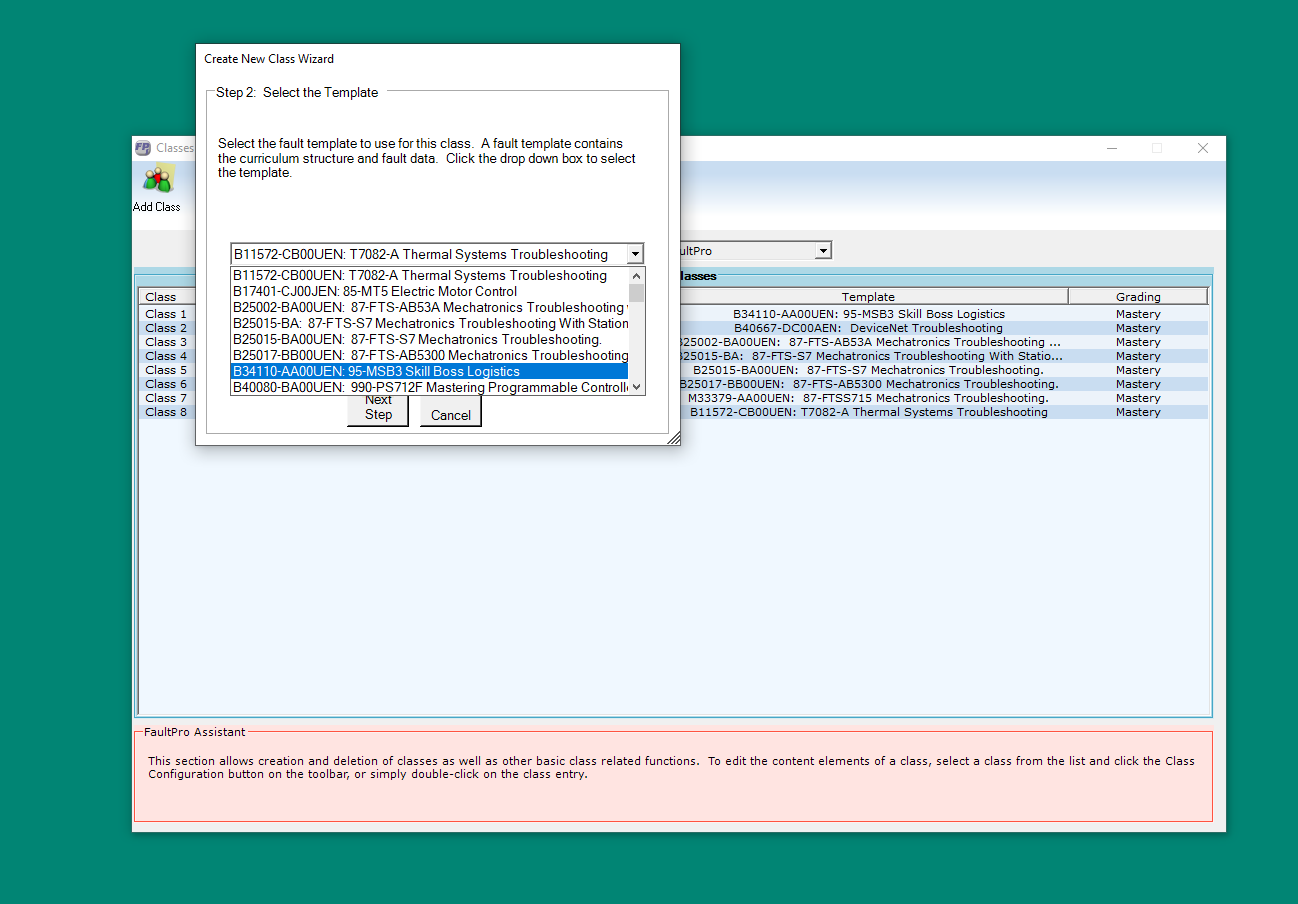 Creating a class means picking a fault template. Only the Skill Boss Logistics template failed.
How I narrowed it down
After the technician left, I installed SQL Server Management Studio so I could see the full error instead of FaultPro’s summary of it. The detail underneath the login failure said that SQL Server couldn’t find the database it had been asked to open.
That’s a known SQL Server behavior. When a login asks for a database that doesn’t exist, SQL Server reports “Cannot open database … requested by the login. The login failed.” It reads like a password problem, but the password is fine. The database just isn’t there.
Next I worked out how FaultPro is put together by querying its databases:
- The catalog. One database,
mmt, holds the catalog of classes, students, trainers and templates. - One database per template. Each fault template is its own database, named with a long timestamp string such as
template_2012013011012341. - New classes are copies. Creating a class makes a new
Class_…database from the chosen template. - The link. The
Templatetable inmmtconnects each template’s description (what the instructor sees in the wizard) to the name of its database.
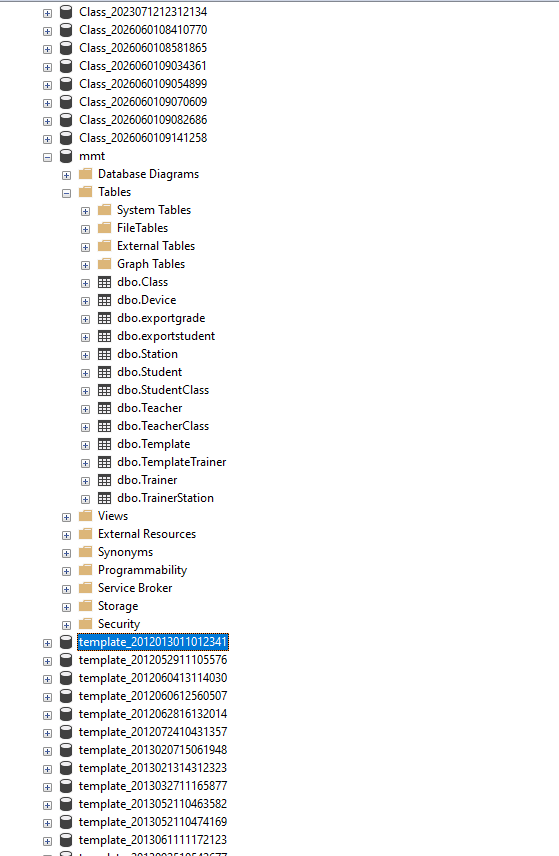 The FaultPro databases: the
 mmt catalog with its tables, one database per class, and one database per template.
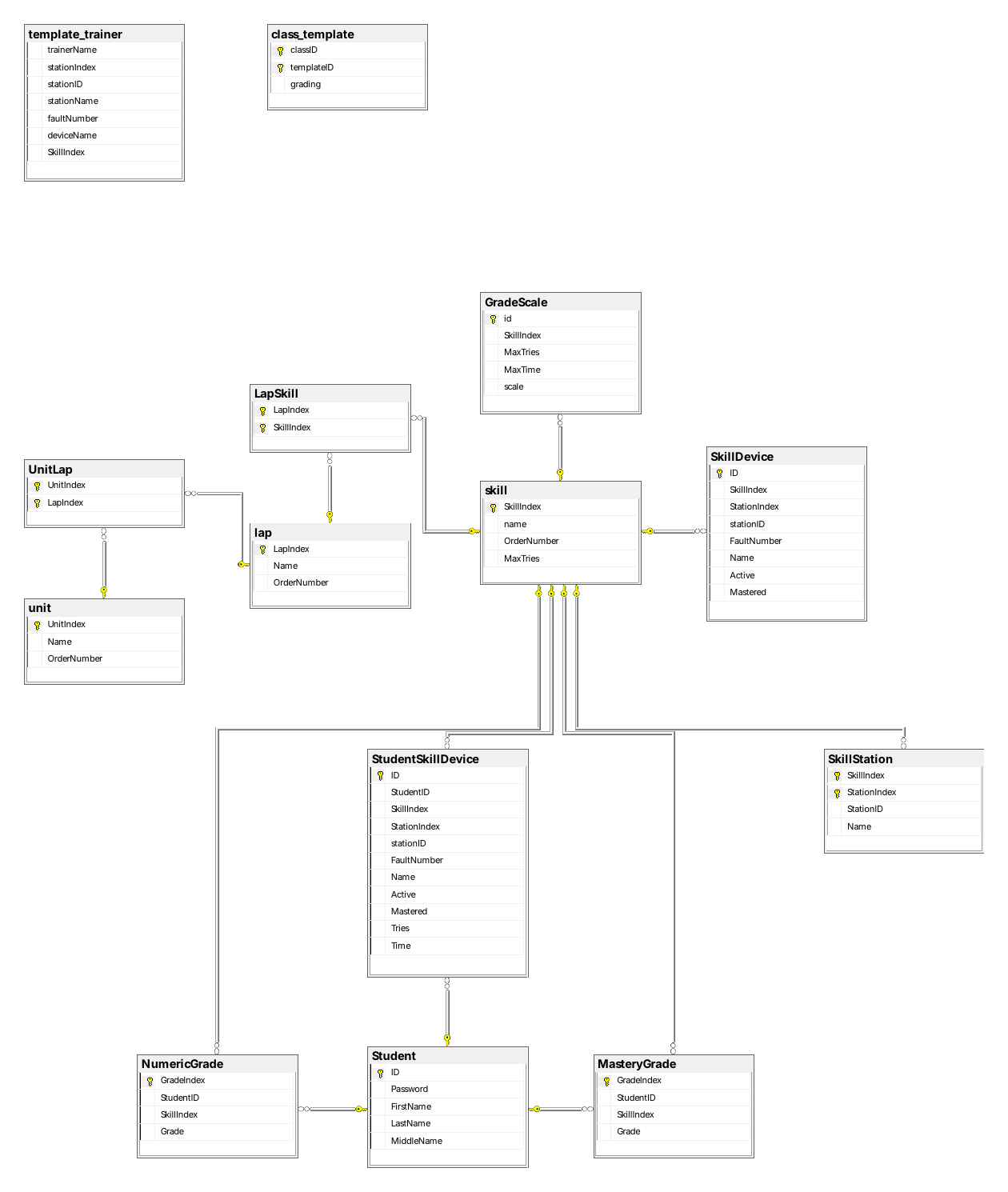 A diagram I made from one of the class databases while working out the structure. Units contain laps, laps contain skills, and each skill links to its trainer stations, fault devices and student grades.
The catalog’s entry for Skill Boss Logistics pointed to a template database name that didn’t exist on the server. The template’s data had been installed under a different, unrelated name.
The fix
I backed up the whole set of FaultPro databases, and the Skill Boss template database separately. Then I renamed the template database to the name the catalog expected. Class creation worked immediately, and FaultPro has worked as expected since.
When the technician came back the next day, I walked him through the whole process: the full error, the database structure, why only one template failed, and the rename.
Why it’s in my teaching
I use this story with students for two reasons:
- It’s a cautionary tale about vendors. A confident explanation from the expert in the room is still a hypothesis until it’s tested.
- It’s a model of troubleshooting process. Read the actual error rather than a summary of it, check whether the explanation fits the symptoms, find the pattern (only one template failed), and back up before you change anything.
The lesson I want them to remember is not to accept assumptions, including your own.
Written with AI assistance from my account of what happened and the FaultPro installation files. The troubleshooting and the fix were mine.